Showing posts with label Google. Show all posts

Tuesday, 25 June 2013

7 Intreasting Facts About Android


Android is now leading platform among all.7 out of 10 smart phones are Android based.So i'm sharing 7 intreasting facts about Android
1.Development of Android
Android operating system was developed by the company Android inc. in Palo Alto,California,which was established in 2003.The founders of android were Andy rubin,Chris white,Nick sears, and Rich miner.Later it was owned by google on Auguest 17,2005,due to lack of money for Android inc. for further development of Android operating system.
2.Android is open source
Google,along with many others is a member of Open Handset Alliance(OHA),which tries to develop open standerds for mobile devices,which means users can see and can also modify the Android code which is almost having 12 million lines and develop newer versions.The users are also allowed to share the new modifications to other users.
3.Android is absolutely free
As Android is open source,Google gives this Android operating system to mobile companies at free of cost.
4.Android is based on linux
Android is based on Linux Kernel,which later was stressed by Google beyond the limits to achieve high performance.
5.Android Logo
Google Android Logo was designed from Atari game called Gauntlet.
6.Alphabetical order Android vesions
Google releases all its Android versions in Alphabetical order.The versions which were released by Google will resemble the desserts.The Android versions released untill now are:
  • Android(System)
  • Beta(version 1.0)
  • Cupcake(version 1.5)
  • Donut(version 1.6)
  • Eclair(version 2.0)
  • Frayoaka Frozen yaghure(version 2.2)
  • Ginger Bread(version 2.3)
  • Honey Comb(version 3.0)
  • Icecream Sandwich(version 4.0)
  • Jelly Bean(version 4.2)
  • Keylime pea(version 4.3)
Keylime pea is not yet released.
7.First Android based devices
The first Android mobile is HTC G1 and Camera is Nikkon's coolpix S800C but not Galaxy camera.

Tuesday, 12 March 2013

How To Submit Website In Google

Hi Dear Friends ..........!
This Time I Want To Teach You How To Submit A Blog Or Website To Google
Its Very Easy and Free


-->

  1. Copy Your Blog are Website URL
  2. Go To Google.Com/Addurl
  3. Then Paste The URL
  4. In Next Box Write Captcha
  5. Then Click On Submit
Done..........!

Saturday, 9 March 2013

List of Blogs Which is Deleted By Google

Blogger is a very awesome platform for blogging and blogging is also a very unique task and hobby for many peoples and blogging is free in the world and many platforms are having on the internet like blogger, wordpress etc. and millions of peoples are hosting their blog on blogger platform and also on wordpress but as blogger is totally free but wordpress is not totally free the difference between Blogger and Wordpress is very much.But in these days Google is going to deleted their blogs and saying that your blog is contains some spams and errors.that's why many bloggers shifting their blogs on wordpress from bloggers. Blogger also deleted some many good blogs like MAKING DIFFERENT.COM and MOREBLOGTOOLS.COM etc. It's not a good deal with bloggers, because they spend their time, money and most of their minds.


List of Some Deleted Blogs


http://www.makingdifferent.com

http://www.moreblogtools.com

http://www.footietip.com

http://doctorulfm.blogspot.com

http://wildandinexplicable.blogspot.com

http://taufanweb.blogspot.com

http://freemediafiresoftwares.blogspot.com

http://cway-investment.blogspot.com

http://sarakhan143.blogspot.com

http://www.daoudsoftwaresworld.blogspot.com

http://merawat-catmobil.blogspot.com

http://cartoononline-th.blogspot.com

http://tmfny.blogspot.com

http://blondioutofafrica.blogspot.com

http://www.tisfortownsend.blogspot.com

http://traidepvn.blogspot.com

http://www.daoudsoftware.blogspot.com

http://daoudsoftwaresdotcom.blogspot.com

http://www.daoudgames.blogspot.com

http://xpornoizleyin.blogspot.com

http://truyenlauxanh.blogspot.com


 Note: Please Don't Post Your Blog's Link in the Comment Form because Google Detecting it as Spamming.


We Are Very Sad For Them Who Lost Their Such an Outstanding Blogs
Credits = http://widgetgenerators.blogspot.com/

Wednesday, 6 March 2013

Top 10 Highest Paying and Best Google Adsense Alternatives

Check inside for a detailed post about Top 10 highest paying and best Google Adsense Alternatives to monetize your blog in several other ways than Adsense.

In a recent interview at techulator.com, I was asked if the increasing competition has actually resulted in less revenue for bloggers, and my answer was, No, the competition has never ever affected the revenue model of bloggers, instead, it has given them many more chances to increase heir revenue. Before a few years, Google Adsense was the only major ad service provider for webmasters as well as bloggers, but in recent few years, many other ad networks have joined the market. Some of them are paying on per click basis, some are paying on per impression basis etc. So this actually concluded my answer in that interview that competition has actually given them a chance to monetize their property in many other ways.
http://universalwebservice.com/wp-content/uploads/2012/03/alternatives-to-google-adsense.png
Having a Google Adsense account is still a dream for many of the bloggers, specially the bloggers from India and other Asian countries. Google is very much strict wile considering the applications for those webmasters who list themselves as Indians or residents of any other country in Asia, this might be because Asia is the biggest spamming spot, but at the same time, it is very much disappointing for the bloggers who work very hard to earn a bit of revenue from their blogs and finally d up with a disapproved Adsense account.
If it was a scenario 5 years back, anyone would have thought there is no other way of monetizing and left hope with their blog, but today, there are many more options to choose from and a blogger need not to get disappointed if Google doesn’t approve their application, there are many other monetizing options. In this post, I will be writing about 10 Highest Paying and best Google Adsense Alternatives.

BuySellAds

BuySellAds is one of the best Adsense alternatives present in the market as of today. Sometimes, even BuySellAds is very much more strict while considering the applications for approval of an account. You need to have a decent number of page views before your account gets approved. Once approved, you can place the name of your website in the marketplace. Once any of the advertiser shows any kind of interest in your website, you will be notified by email and then you can go ahead with the procedure,Once the formalities are done, You will get 75% of the revenue and BuySellAds will keep the remaining 25%. The amount can be withdrawn twice a month and the minimum amount which can be withdrawn is 50$. Mode of payment will preferably be PayPal. BuySellAds mainly display banner ads which are provided by the advertiser, but before a few days, they have launched a feature called BuySellAds unreserved, under they display Google Adsense Ads on your blog and you do not need to wait for an advertiser to show interest in your website. Once your account is approved and you get an advertiser, BuySellAds will provide you a code, which you have to put wherever you want to display the advertisement.

InfoLinks

InfoLinks is one of the most popular and widely used Ad Network. This is the first choice of webmaster with or without Google Adsense. InfoLinks mainly displays inline advertisements in the form of hyperlinks. Some of your text in the post will be hyperlinked and once the user puts mouse cursor over it, the ad will highlight. InfoLinks also pays on the basis of Per Click. This is most profitable when you have many visitors from western countries like the United States, Canada, United Kingdom etc. The mode of payment is PayPal, you can request a withdrawal once in every month after your amount reaches 50$. You will surely not need a high-profile website to get approved for InfoLinks like Google Adsense or BuySellAds. Even if you have a 10 day old website with less traffic, InfoLinks will approve you within 24 hours of applying. Once your account is approved, you can integrate the ad to your blog or website using 3 minute integration guide given on their website.

Chitika

Chitika was basically started as an affiliate website which used to pay commissions to webmasters and blogger on the basis of sales made from their web pages. Chitika believes in something greater than the traditional advertising boxes with some of the popular ads. If you are having Chitika, you will always see as related to your post. If you are having a gadget blog, you will be getting ads with the buying link of the same gadget or its competitor. Every sale which gets referred from your website will fetch you a good amount of commission. Chitika has a very well optimized system to display ads on mobile content. For local visitors, Chitika offers a” Pay Per Call” plan with the payout of 2$-20$. According to that, Chitika puts the visitor in direct contact with the advertiser and it gives huge possibility of increasing sales. The minimum payout is 10$ by PayPal ad 50$ by check. Chitika is also popular because it gives you the complete control over your ad. You can customize it in the way you want, just like Google Adsense.

Bidvertiser

Bidvertiser also a great alternative to Google Adsense. It works as a combo of PPC (Pay Per Click) and Affiliate Marketing. You will get revenue on every valid click plus, if any of the click from your blog gets converted to a sale finally, you will get affiliate commission too. Bidvertiser was one of the first Ad Network to start a service of this kind and this is something which makes it a unique and strong competitor to Google Adsense. This provides traditional banner advertising solution with handsome payout.
A few months back, Bidvertiser announced a new feature, which is called Bidvertiser Toolbar. This is a real cool option to boost your earnings. Using this feature, you can download Bidvertiser toolbar, customize it with your logo and your information and ask your visitors to install that in their browser. You will get a handsome amount when anyone uses that toolbar to search something. The minimum amount which can be withdrawn is 50$ via PayPal and 100$ via cheque.

Intellilinks

Intellilinks is also an Ad network which works similar to Infolinks but they have an integrated feature to sell links on your blog. They do have a customized dashboard and you can display inline advertisements along with that, Intellilinks give you an option to make some extra money with link sales. You just need to install a plugin in order to allow the Ad network to work. You can either allow Intellilinks to place the links automatically or you can review before you allow them on your blog. This is a pretty good integration of these 2 services and it enables you to make some extra money without much efforts. There is one best thing about Intellilinks, there is no payment threshold for the payment, no matter how much you earn, whether you earn 5$ or 1000$ in a month, you will get paid at the end of every month by PayPal.

Clicksor

Clicksor is also an important and very popular Ad Network present on the internet and one of the best Adsense Alternatives. In terms of users, it is the third most popular publisher network after Google Adsense and Infolinks. Clicksor displays inline advertisements as Infolinks and Contextual banners as Google Adsense. The payment threshold is just 50$ and can be withdrawn using PayPal, Cheque or Bank Wire Transfer. If you have a good friends and followers base, you can earn some additional money by referring your friends to Clicksor. The best thing about them is, you will need to provide your site keywords at the time of signup and Clicksor will always display ads which are relevant to your content. One more positive factor is, you will not need to put code several times in a page if you want to show more than one ad, you will just need to paste the code once.

Adbrite

Adbrite is not a very popular ad network because they do not have anything to offer from their side, but it can be a very handy alternative to Adsense for those who have potential visitors. Adbrite shows a banner on your website with a phrase “Advertise on this Website”. Once an advertiser sees that Ad, he can click there and then Adbrite will look into the whole process of having the conversation with the advertiser and getting that ad displayed on your website.

Dynamic Oxygen

Dynamic Oxygen is relatively new to the advertising market. They started at the end of 2010 but made a huge progress. One of the main reason why they are becoming popular is, they consider every single visitor of your website and pay you accordingly on every valid click from any place in this world. Unlike Google Adsense, Infolinks and other ad networks, this Google Adsense alternative shows different ads for visitors of different locations so that you do not have to face low CPC (Cost per Click) for the visitors from countries except United States and Canada. The minimum payout is 50$ which can be withdrawn via PayPal or Cheque.

Exit Junction

Exit junction is also relatively new and a unique way of advertisement. You can use Exit Junction with any other Ad provider because of it’s unique mode of advertisement. Exit Junction does not show the ads when a visitor is browsing through your website, but when someone leaves your website, a popup gets displayed and you get paid for every single impression. This depends mainly on the search engine visitors and beneficial for you to monetize those visitors who enter your website by a search engine and exit within seconds. The ad displayed on the popup is according to the keyword which was searched by the user to enter your website, this ensures that user gets to see niche targeted ad which results in and makes sure you get a decent amount of revenue. The minimum amount which can be withdrawn is 25$.

B4PSAds

This name might sound kinda awkward, but they do provide great service. B2SPAds have integrated CPC and CPA. You can paid for per click and if your click gets turned into an action for the advertiser, you get paid additionally. You can control your campaigns using a fully automated dashboard and the main thing is, you do not need to wait for the end of a month. Whenever you reach the payment threshold, you can request a withdrawal and you get paid immediately by PayPal or direct transfer to your bank account. They also organize monthly contests for publishers, so if you win any of those, it will boost your that month’s earning.
Today’s Question : Which is the best of all these Google Adsense Alternatives for you? What is the best feature about that network? Let me know in the comments.
 (Article Via  Kunwar Prithvi's Blog)

Saturday, 2 March 2013

Firefox Add ons - Displays Google PageRank and Alexa rank

Google Pagerank and Alexa rank are two major metrics to evaluate the quality and worth of a website. You can directly check Google PageRank from Google toolbar and likewise Alexa rank can be traced from Alexa website. However, there is an easier way to check Google PR and Alexa rank for any website and it’s a Firefox plugin called Search Status. This Firefox plugin displays Google PR and Alexa rank of all websites on the right hand side of the status bar.

After installing Search Status plugin, you can see Google PageRank, Alexa rank, Compete ranking, MozRank, fast keyword density analyzer, keyword or nofollow highlighting, backward and related links info, Alexa info along with few other SEO tools. This is one of the best plugins to have if you are into web development or blogging field.

Key Features of Search Status Firefox Plugin
  • Displays Google PageRank, Alexa rank, Compete rank, MozRank
  • Highlights Nofollow links on a web page
  • Option to view link popularity and meta tags of a web page
  • View the site history in Archive.org and Whois
  • See website’s robots.txt and sitemap.xml in just one click
  • View keyword density and other SEO metrics
  • Displays website’s indexed pages with backward links
  • Option to customize the display
Download Search Status Firefox Plugin

Google Styled Blogger Template Free Download

Hi Dear Bloggers !

Dear ,,,! Now We Find A Best Template For You Same Like Google and Customized Able..!
Download And Enjoy.... 
 
Theme Description - 
Toogle is a free Old Google Styled blogger templates, it comes with three columns with a right and left sidebars in white and SEO Friendly. It can be best used for posting blogs about personal blog, or business....


Live Demo | Download | Screenshot

                                                              Say Bingo...........!

Friday, 1 March 2013

Worlds Top Websites : Take a Look Before 13 Years

Technology is binding more and more with our daily life.Millions & millions of peoples across the world now surfing in internet and gathering knowledge.Tim Berners-Lee  invented WWW in 1989,Many Tech giants stepped in to the world of WWW.We can surly say that,the field of WWW has accelerated their upheaval.We need to up-to-date our website regularly & need to apply our prudence in various occasions.In 2000 there is no Facebook,Twitter etc... Social Networking sites are  totally(Even classmates.com etc..there) absent,but today they all present. The presence of social media is reflected in the design field also.Here is a list of (Pictures) various popular companies Website in 2000 & see the Development of  web design field from 2000 to 2013. Lets start. We can start with Letter A (A for Apple).


Apple.com


2000


2013


Adobe.com


2000


2013


BBC.com

2000


2013


Google.com


2000

2013

Microsoft.com (My Favorite)

2000

2013


Yahoo.com

2000


2013


Myspace.com


2000

2013

Amazon.com


1999-2000


2013


(Article Via Boogali Blog)

Thursday, 28 February 2013

News: Bypassing Google Two Factor Authentication

Duo Security found a loophole in Google's authentication system that allowed them to Google's two factor authentication and gain full control over a user's Gmail account by abusing the unique passwords used to connect individual applications to Google accounts.
Bypassing Google Two Factor Authentication

Duo Security itself a two-factor authentication provider and the flaw is located in the auto-login mechanism implemented in Chrome in the latest versions of Android, that allowed them to use an ASP to gain access to a Google account's recovery and 2-step verification settings. 
Auto-login allowed users who linked their mobile devices or Chromebooks to their Google accounts to automatically access all Google-related pages over the Web without ever seeing another login page.
android autologin

"Generally, once you turn on 2-step verification, Google asks you to create a separate Application-Specific Password for each application you use (hence “Application-Specific”) that doesn’t support logins using 2-step verification," Duo Security said in a blog post.

"Then you use that ASP in place of your actual password. In more-concrete terms, you create ASPs for most client applications that don’t use a web-based login: email clients using IMAP and SMTP (Apple Mail, Thunderbird, etc.); chat clients communicating over XMPP (Adium, Pidgin, etc.), and calendar applications that sync using CalDAV (iCal, etc.)."
gauth break sm1
ASPs are specialized tokens generated for each application that users enter in place of the password/token combination. Duo Security discovered that ASPs actually weren't application-specific, In fact, one code could be used to log in to almost any of the Google's Web properties because of Auto-login feature.
"So, given nothing but a username, an ASP, and a single request to https://android.clients.google.com/auth, we can log into any Google web property without any login prompt (or 2-step verification)"
The researchers have shared their findings with Google and they has fixed this security hole last week.
 (article Via Cell90)

Wednesday, 27 February 2013

Google Glass May be Available by the End of the Year

You could call it supershades, smart glasses, or every geek’s dream. But however you classify Glass, you have to admit, it’s pretty awesome. And sooner than expected, interested consumers will be able to sport their hi-tech headgear, and share their live,  first person experiences with the world.  Product director of Google Glass, Steve Lee revealed to The Verge, Google’s plan to have the product available for purchase by the end of this year. The price is promised to be under $1500 at release.

Google Glass May be Available by the End of the Year

Glass creates a new way to connect life with your social networks

Most of you may try to share important or exciting aspects of your life on your social networks. When you take pictures or even videos of vacations or outings, you might eventually download them, way after the event is over. But, your attempt usually doesn’t fully portray your experience when you must always stop what you are doing and dig out your device to take a picture.
Glass is a refreshingly original idea that layers augmented reality with real life. It allows user to simply talk to the glasses to share live videos and photos, interact with social networks, utilize location based GPS, and access the vast amount of Google’s knowledge, all while keeping your hands and eyes trained on your projects and activities.
The wearable computer is compatible with your Android or iPhone and will be available in multiple colors. Also, Google may have plans to create other designs of the headwear, according to a patent of Glass that went public this week.
Who can get one early?
Pre-orders for the Glass Explorer’s Edition were available to developers during their conference last year, and they are expecting to receive their device early this year.
Don’t want to wait until the end of the year? Selective pre-orders are available for those who are will work for it. It will cost you $1500 and a description of what you will do with your glass. For more information, check out Glass
Will you start saving now?

[Image via extremetech]and Tech Beat

Thursday, 14 February 2013

Now you can rely on Google Flight to search for your destinations by regions

When searching for a flight it is a requirement that you enter your airport code which is something that most of us can’t remember. Even for those who remember the airport code, they may not necessarily get the option that will save them money.

From now on Google Flight can help save money with its new update. It allows users to search based on the destination they are trying to reach rather than just looking at what a particular airport has to offer. For example if you want a flight from Miami to Atlanta, you don’t have to go and type “Miami, Atlanta”. It is now possible to just type the destination, which is Atlanta. The Google Flight will give you the different flight options available and it is up to you to choose the one that you are more comfortable with. It is all nicely plotted on the map so you can see the different cities and the flight prices.

Of course you still have the option to narrow down your search based on the price that you can afford or the time of the day you would want to take that flight.

This new update is really going to be useful for those not too fussy about where they could spend their holidays. The search now gives a broad set of destinations so it is up to the user to make a choice.

Mind you the prices you see delivered to you are live prices. You can take advantage of them to quickly snap a promotional offer, that is if you are fast enough.


Google launched its web-based flight search tool in 2011 after acquiring ITA software in 2010 for $700 million. Google has probably noticed that the search engine Bing runs its market share with features that involves travel search and decided to make a move accordingly. ITA software is a company that is specialized in organizing airline data. They help a lot of big airline companies in analyzing their data which helps them properly price their offer in a competitive manner. ITA software also makes life easy for the potential passenger by making it easy to find and book a flight based on the price that he is comfortable with.

Just last month, it was reported that MileWise, the flight reward tracker, has updated its iOS app. This will now allow travelers to search for flights based on the amount of cash required, the credit card points, the frequent flyer miles and the hotel options available. MilesWise had made a deal with the ITA section of Google to provide it with powerful key features. This is like the second deal that will allow the search engine to provide flight fare data.

It is not yet possible to purchase a trip on Google Flights when outside Canada or U.S.. That said, a person in U.S or Canada can purchase a trip to a country outside the American continent. With this new feature a lot of Americans are probably going to take advantage of it during the spring break and the end of year holidays.


Credits = Site Trail

Sunday, 10 February 2013

Download SEO Starter Guide by Google

UmerPrince

Many SEO starter guides can be found in many websites. But, some bloggers and webmasters still waiting a SEO starter guide by google. For them, SEO starter guide by Google is the real SEO starter guide. That's not wrong, because Google is the best search engine. So, if Google release the starter guide, sure that's way to increase our blog SERP (Search engine result page) in Google with legal. So, if you want to download SEO starter guide by google, you can download in this link :

Click On Image Below


Saturday, 2 February 2013

How to add the +1 Button to Blogger?

Google released recently there +1 Button that will show publicly what you like, agree with, or recommend on the web. When you +1 an article or tutorial, your name will appear under that article when that article appears in search results. You can also find out what articles your friends read and liked. This according to Google is aimed to make Google Search results more relevant and useful. For Bloggers like you, I am sure this is another great tool to increase the PR, relevancy and importance of your blog. According to me, the more +1'd this you receive the chances for your blog's PR to improve will increase also because the PageRank algorithm is linked to all activities that takes place in your blog.


Go To Blogger > Design > Edit HTML
Backup your template
Search for </head>
Paste the code below just above </head>

<script type="text/javascript" src="http://apis.google.com/js/plusone.js"> {lang: 'en-US'} </script>

5.  Now Check the "Expand Widgets Templates" Box at the top right corner. In order to place the button just below Post titles then search for this code <data:post.body>  and place the +1 button code given below just above it,


<div style='float:left'>
<g:plusone size="standard" expr:href="data:post.url"/>
</div>

UmerPrinceUmerPrinceUmerPrince


You can display it to "left" and "right" by adjusting left
You can change standard to medium, small or tall. Choose the size that may blend your template.
Tall, small, Medium Respectively:


Friday, 1 February 2013

4 Immediate Actions you must take if your Website is Hacked


UmerPrinceHas your website been hacked? It's not uncommon to see sites getting hacked these days. Even large websites with lots of protection can get hacked. Indeed, it's usually the large and popular websites that are prone to hacking. Security is a major problem these days. And if your site gets hacked, it can get damaged in a number of ways. You could either lose all your data, or your site could lose its ranking due to a malicious software installed. So while you can do backups and stuff, you cannot prevent someone from hacking into your site. So if your site gets hacked, there are some recommended actions you should take to get it back.

How to tell if your website is hacked?

UmerPrince

You can confirm that your website has been hacked by visintg Google Webmaster Tools. The Google Webmaster Central will let you know if there's malicious activity going on on your site, or if it has been infected with a virus that might harm other users. As a result, Google removes your site from search results until the virus has been removed. So you should check your Webmaster Tools to check for any problems that may arise, and to repair the damage done as soon as possible.


4 things to do when your site is hacked

1. Take your website down

Yep, take it down. I know it's kinda harsh, but it is the fisrt thing you should do ethically. Because if it's not taken down, it might effect other websites as well. You might want to contact your web host for this, because other sites on their system might get infected as well.

Also, change ALL of your passwords. Your site might have multiple users, or you might be using multiple FTP accounts, and so on. Change passwords for each and every account. And also monitor all of your accounts, because in all likelihood, the hacker might have created new accounts in order to make a back-door for himself.
2. Check out the nature of the attack

With regards to a hack-attempt or a virus attack, it's best to fisrt judge the nature of the attack, and then act accordingly. Your first stop should be Google Diagnostics page, which will give you information about any virus or malware present on your site. To do this, just use this URL (www.google.com/safebrowsing/diagnostic?site=yoursite.com), and replace the yoursite.com part with your site's address. After that, there's a checklist you should perform.
Check your Google Webmaster Tools for any messages regarding the virus. You can also see pages with malware by going into Health >> Malware. Delete those pages if necessary. Hackers usually create new pages for malicious purposes.
Do a complete scan of your computer. Check to see if there isn't any virus disguised as an image (it happens!). This is one of the easiest way to hack someone. Also, check what extensions your browser is using, and delete all the unnecessary ones.
Use the Fetch as Google in Webmaster Tools to detect other pages with virus, and use the Link Removal Tool to hide those pages down temorarily from users and search engines, so they won't be served to users.

3. Getting rid of hacked content

Now that you know what and where the problem is, it's time now to get rid of it. Use Google Webmaster Tool's Malware page to see what pages host malware, and delete them. If you have a backup of your content, then you might want to delete all your content, and then restoring it, which should hopefully get you rid of the viruses. You can always check with Google Safebrowsing diagnostics, and Malware page to see if there's still some malicious activity left.

You should also update the management system you're running your website on, such as WordPress etc. Also update any plugins, or third party software you have on your site.

4. Tell Google you're good to go again

Once you're sure that all the viruses and malwares have been removed from your site, you should ask Google to review your sit again. To do this, go into Webmaster Tools, and click on Health >> Malware, and then click on Request a review. Google will review you site again, and remove the warning if it finds the site clean.

UmerPrince

Remember. This method only removes that malware warning that is displayed to users. If the hacker has been spamming, you might come under a penalty. To fix that, you will need to file a reconsideration  request to Google. Red our article on how to do this

Wednesday, 30 January 2013

Blogger Static Home Page - Google Search Results

I thought I would add a quick update on how Google indexed my Blogger static home page. One of my main concerns was that Google might not like the Blogger page redirect in the search results. Frankly, it was difficult to tell just what kind of redirect Google was using.

First, take a look at the search results. This static home page blog is already indexed by Google and looks to have been successfully indexed:

Blogger static home page indexed in Google
Note that the URL does not show the final redirected URL of Static Home Page - which is a good thing.

Now, taking a look at the actual page HTTP response you can see that Google does a 302 temporary page redirect for the static home page:


From what I could see on the Google help pages and forums, this looks good for Blogger static home pages. Take a look at this response from a Google representative on 302 redirect behavior.

To quote the representative from Google, "Generally speaking, with a 302 redirect we'd try to take the content of the redirect target (in your case PAGE-B) and index it under the redirecting URL (in your case PAGE-A). If the target has a noindex meta tag, then it's likely that we'd apply that to the redirecting URL as well."

Saturday, 26 January 2013

Speech to Text With Google Chrome

Imagine being able to speak an email into existence. Now stop imagining. Thanks to Google, you can already experiment with this for yourself. Voice recognition is here, and the day is coming soon where you will be able to use it for all sorts of applications. As technology advances, the way that we interact with our devices is constantly changing. Right now, Google is testing a new feature, Web Speech API, which would allow you to write an email using only your voice. It is currently available on Chrome Beta, if you would like to give it a try.
UmerPrince


Speculation is such that it will possibly become available on Chrome for Android or possibly even Chrome for iOS. It may even be available in future versions of Chromebooks. Early testers have called it impressive and accurate. It works very quickly to recognize your voice, allowing you to speak at a fairly natural pace. In order to try it out, or if you want to use it on your own website, you will need to download Chrome Beta. If you are interested in learning more about it, Google created a demo, in order to show how it works.

As a JavaScript API, Web Speech API also allows web developers to use speech recognition on their websites and web applications. As such, this could allow for many other wide ranging opportunities. While voice search has long been supported, new expanded dictation support means that the possibilities are much more extensive. It is expected that in the future, talk apps will be performing all sorts of tasks. On the Google Chrome blog, it is suggested that future voice command applications could even include controlling game characters with only your voice.

While users are only able take email dictation out for a spin today, it is clear that this is only the beginning.

[Image via kaget]
.

Thursday, 3 January 2013

Tech Trends for 2013


A lot has changed in 2012. Some technology trends have grown while others have all but disappeared. We’ve seen a growth of all things mobile and a decline of the personal computer. Now it is time to turn to 2013 and make predictions about what trends will be popular for the coming months.

Mobile Payment Options
This is a continuing trend and one that is moving in different areas. For one thing, more coupons come from a smartphone today instead of being clipped. You can use specific apps or get them in emails. Loyalty passes are also being stored on the phone as opposed to a card in a wallet or a key chain.
 
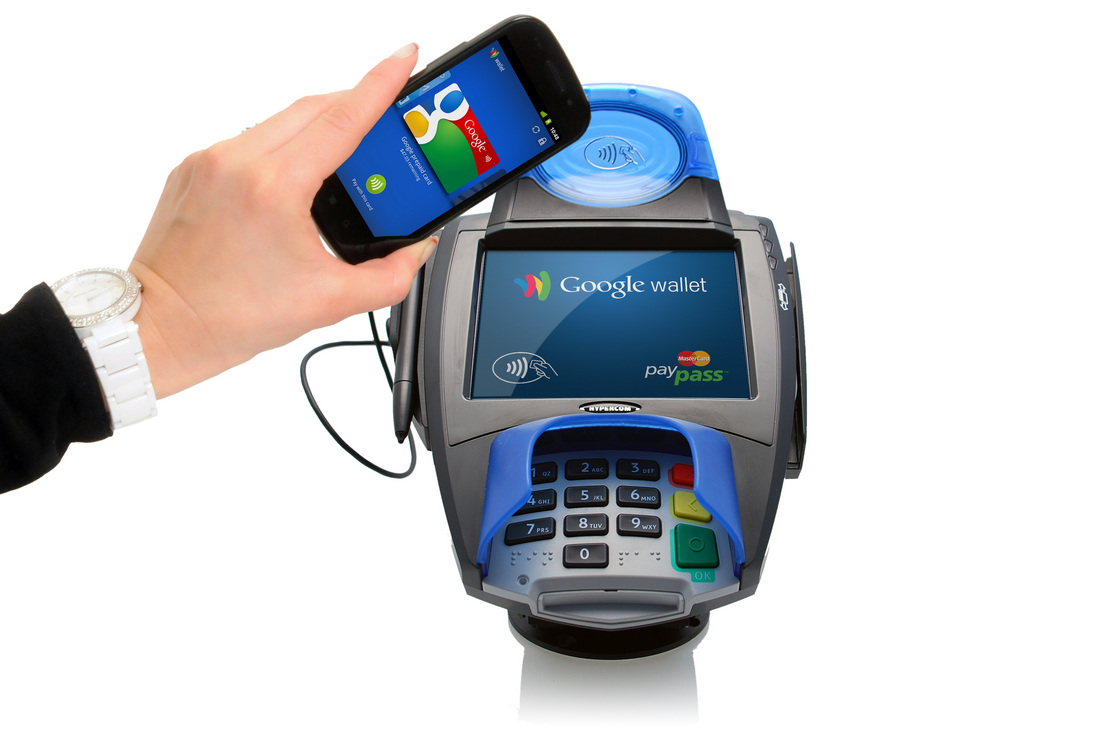
UmerPrinceThe next trend that may come is allowing people to pay with their smartphones instead of paying with the credit card. The credit card information would be stored online.

 
Improved Health Care
Health care is another area that can benefit from mobile devices. On the patient side, they can already use their smartphone for many health tools such as fitness resources, food information, and tracking for exercise and diet. The next thing would be to have apps that record blood pressure, blood sugar, and other statistics that can be transmitted to a doctor’s office or saved for a medical visit.
Printing3D printing has made its debut and may become more well-known throughout the world. These printers will also become more affordable for consumers.
Expect competition to heat up in 2013 from the big players for smartphones, tablets, and other devices and software. Microsoft and Research in Motion are battling to get toreinvent themselves and move toward the top of smartphone sales, while Google, Samsung, and Apple compete to create the best devices.
Another trend you can expect to see continue and grow is with new user interfaces where people have new ways to control and operate the devices. You may see advances with motion control like what is used on game consoles.
A trend that you should expect even though it isn’t positive is the increase in cyber attacks on mobile devices and more complex attacks all around. Users need to be prepared to protect themselves, their devices, and their private information.
[Image via vaultencrypt]

Wednesday, 19 December 2012

19 handy Google tricks that you weren’t aware of

After covering everything that Google Search has to offer, you can easily forge that search only forms one small part of the Google behemoth. With so many different features and clients available, it’s very easy to use the basic features for each and leave it at that.

However, if you delve a little deeper, there are many tricks hidden away that will help improve your experience. To help you out, here are a number of tips and tricks that you can use for four of Google’s more popular features: Gmail, Maps, Google Drive and Google News.

Gmail

Use Filtered Search

Gmail’s search bar is very handy for finding that message you got months ago, but most people don’t realise how easy it is to access advanced search. Just click the downward facing arrow on the right-hand side of the search bar and you will be presented with a number of different search options. You can narrow your search down to the person who sent it, the subject, words used, and the dates it would have been sent.

Activate Starring Feature

Sometimes you will come across important messages, but the only way you can mark them is with the yellow tab or star icon. Thankfully, there is a feature in settings which lets you mark your inbox with different symbols to help you. Start by clicking the gear icon in the upper right hand corner and scroll halfway down the general settings page to find the "Stars" setting. Here you can drag different stars and icons into the "In Use" section to activate them. The next time you’re starring an email, you can cycle through the different colours by clicking on the icon repetitively.

Cut Down Text In Email Replies

The annoying thing about email threads is that if the messages are long and numerous, it’s very easy for the context to get lost among the many paragraphs of text. There’s a handy way to get around this as blogger John Graham-Cunning recently discovered. Before you hit reply, highlight the block of text you want quoted and then hit reply. This ensures that only that text you highlighted will be quoted in the email below your message.

Keyboard Shortcuts

Like all Google features, there are keyboard shortcuts that you can take advantage of. Simply go into the gear icon on the upper right general settings and activate the shortcut. You can find a list of the different keyboard shortcuts by visiting this link.

Sign Out Remotely

If you’ve signed into Gmail on different computers and forgot to sign out, you can sign out remotely through the details section. If you scroll down to the bottom of Gmail, you will see your last activity at the bottom right hand corner. Click on "Details" underneath this and you can sign out of all other sessions.

Emphasise Important Words In Gchat

If you want to add extra emphasis to your comments on Gchat, you can add some basic formatting as you type. To make text bold, surround your text with asterisks (*bold*), use underscore to add italics (_italics_) and hyphens to add strikethrough (-strikethrough-).

See Which Emails Were Sent To You Directly

If you want to keep track of what emails are sent to you directly and which ones were sent to a group, you should activate the "Personal Message Indicators" setting. Found near the end of general settings, activating it will place arrow icons within the important tab. One arrow signifies emails sent to you and others, while double arrows indicate emails sent just to you.

Activate Gmail Remotely

If you’re a Chrome user, you can download a handy app which will allow you to work on Gmail without an internet connection. It allows you to read, respond to, search and archive mail without network access. For those interested, you can download it through the link here.

Google Maps

Remove Side Column

Not really a tip per se, but handy to know when you’re viewing a map. If you want more space to work around with, simply click the small arrow on the right of the printer and URL icon (the chain). This will minimise the column so that you have more space to view the map.

Adjust Your Route

When you’re searching for directions and you want to avoid a particular road or street, you can adjust your route by dragging it to a different path. This will create a new white marker which Google will use to calculate a new route and timeframe. You can create as many of these markers as you wish.

Add/Remove Layers

Depending on your location, you can add or remove layers to your map. Depending on your location, you can see terrain, traffic, weather reports, Wikipedia entries, bike trails and when you zoom in close enough in satellite mode, 45 degree mode. You can access these modes by hovering on the box located on the top right-hand corner and expand it by clicking the arrow button at the bottom.

Drag and Zoom

Google Labs has some incredibly handy tools, but it can be very easy to miss it considering its location. When you open up maps, you will find Maps Labs at the bottom left hand corner of the screen. One of the options you can choose is ‘Drag ‘n’ Zoom’ which lets you zoom in by drawing a box on the map. Click the magnifying box underneath the original zoom to activate it. The smaller the box, the further you zoom in.

Measure Distances

Another Google Labs tool that you can activate. Clicking the ruler tool at the bottom right hand corner of your map will let you measure the distance between two points in metres or feet. The fun part behind this option is you can choose the geeky option and measure the distance based on the size of American football fields, Olympic swimming pools and light years among other more useful measurements. This feature will only let you measure in straight lines, however.

Google Drive

Keyboard Shortcuts

It’s probably no surprise that Google Drive has its own set of keyboard shortcuts which you can find through the cog icon. Scroll down the menu and you will see an option for keyboard shortcuts. Clicking this will bring up all the different key combinations available to you.

Access Revision History

If you’re creating or viewing a document on Google Drive and you want to see what changes were made, go into file and select "Revision History." This will bring up a list of previous versions of said document that you can restore or use to view differences between that version and the latest. If the document is shared by more than one person, all changes are colour coded to show which person was behind each change.

Attach Drive Files To Your Email

When you’re writing up an email, you can insert a file directly from Drive through your Gmail account by clicking the Drive icon at the bottom of the new compose email format. It will appear when you scroll over the attachment icon at the bottom. This option isn’t available if you’re using the old compose format, in which case you’ll have to add in your files manually.

Google News

Personalise Your News

Google News is a handy way to find articles when normal search isn’t enough, but you mightn’t be aware that it can also be used as a news portal. Going to the News homepage will present you with all the major news stories, local and national, for you to read. However, if you’re not happy with the articles you’re presented with, the customise section is what you’re looking for.

By clicking on the cog icon at the top right-hand corner, you can adjust the sliders for a number of topics to determine how often they appear. Also, you can add specific news sources to the list and adjust how often they appear on your feed, allowing you a more personalised experience.


Adjust Appearance Of Blogs & Press Releases

In its search function, Google News also incorporates blog posts and press releases to give you a more comprehensive view of the news and what’s happening. If you only want major media outlets and sites to appear on your feed, you have the option to lessen or get rid of blog posts and press releases from your feed. When in the customise section, go into settings (found underneath adjust sources) and you can adjust the frequency they appear.

Add Specific Topics

If you want to have a stream that related to specific search terms, then create your own section. In the customise section, go into advanced (found underneath the Personalize Google News section), and select "Create A Custom Section." Here you can add in any search term and you will be presented with a feed correlating to that. Remember if you want to add more than one term, separate them with a comma.

Play Google Guitar

Mouse over the strings to git rockin’.


And now! For your Googly Tricky pleasure, one of the most popular Google Doodles ever, in honor of Les Paul’s 96th Birthday, the extremely playable Google Guitar. This is just one of Google’s many interactive doodles that sucked hours of time from our lives, replacing them with joy (or something). Enjoy (or en-something).

Funny Google: The Search Engine’s Hilarious Side

As you have probably gleaned from Google’s many "official" and "unofficial" Easter eggs, the search engine is not at all a company brimming with black-suited, dour-faced executives. As it has made its corporate character obvious and clear in the recent past, the company is serious but "fun." In fact, there are so many funny Google aspects that go beyond merely serving some coffee break micro-entertainment for the average person searching for some information on the web. Most of the things that make Google a "fun company" are embodied by its founders and employees.

After all, if you know the corporate culture of Google, you will understand why it is the way it is. It is no secret how business and work are done at the Google Headquarters at the building formerly owned by the now-bankrupt Silicon Graphics at 1600 Amphitheatre Parkway, Mountain View, Santa Clara County, California, in the USA. Endearingly referred to as the "Googleplex," (a reference to the name of a very large number called "googolplex" and also, of course, as a combination of the name of the company with the word "complex"), the search engine’s headquarters is a seat of innovation and creativity, as well as technical wizardry. Well-known for its laid-back ethos, accentuated by quirky desktop gizmos, toys, and other "geeky" devices, the Google Headquarters is a modern workplace marvel. Its campus atmosphere feels more like an endless vacation, where you’re allowed to pursue your individual interests—no matter how quirky—in your own sweet time. In its brainstorming sessions or idea boards scattered around the campus, for example, no one will have the liver to tell you "how crazy" your idea may be—in fact, "crazy" is normal, as demonstrated by earnest sketches and designs on white boards of "mythical" projects such as Google spaceships, interplanetary internet, and other gizmos that may simply drop the jaws of "normal" people.

The Googleplex is also fully self-contained—it has its own in-house repair shop that is always on duty to repair any employee’s broken gadget or laptop. Those with a stiff back or aching muscles can go to any of its in-house massage centers staffed by professional masseuses. It has more than a dozen cafeterias that provide free food (even gourmet dishes) to employees—yes, all that good food is free. And reminiscent of that old Saturday Night Live sketch featuring Jim Carrey, the two swim-in-place pools are "assiduously" guarded by highly trained lifeguards—you know, just in case you stub your foot and somehow manage to "drown" in that pool.

The Google Headquarters also has in-house salons staffed with professional hair stylists to keep people’s self-esteem and confidence at all-time highs (and to absolutely avoid "bad hair days," which might negatively affect a Google engineer’s performance). The headquarters even has "toy rooms" or play rooms where employees’ children or, well, young-at-heart Google employees can play with any toy they fancy—from electric trains, to Lego sets, to robots. And to round off the best "proofs" of how funny Google is, the company allows its employees to bring their dogs to the workplace (unfortunately, regardless of the sheer popularity of cats on the internet, Google has yet to give cat owners the same leeway as those who own dogs).

Such is life at Google. No wonder all its funny Google attitude can be often felt through the company’s way of dealing with things and through its several so-called Easter eggs.

Funny Google

A favorite Easter egg is also one that is called "Funny Google." Technically, it’s not an Easter egg as Google has nothing to do with it (the site was created by someone else), but when you enter the phrase "funny google" in the search bar (with the Instant Search feature turned off) and hit the "I’m Feeling Lucky" button, you are instantly directed to a site (URL is HYPERLINK "Funny Google") that bears the "Funny Google" logo. So how "funny" is it? It’s the same search engine, but you should have loads of fun if you fancy replacing the staid Google logo with your own name—or your dog’s name. That’s where all the fun lies: the ability to replace the Google logo with just about anything you can think off, as long as it does not the maximum number of characters. Try it.

Unintentionally Strange and Hilarious Search Suggestions

It is very possible to spend a whole day just discovering (if that’s how you roll, I won’t judge you) the strange, unintentionally hilarious side of the search engine. In fact, Google has been "internet notorious" for its often uncannily spot-on but dark brand of search suggestions. The following are just some of the now-famous examples.

Searching for "I like to ta…": Google will suggest "I like to tape my thumbs to my hands to see what it would be like to be a dinosaur" to complete this phrase.

Searching for "I need a…": For some reason, 7.1 million people around the world complete this search phrase as "I need a poo." I didn’t know there’s such a huge demand for that. You’ll have to thank Google for enlightening us.

Searching for "How much wo…": Google will suggest completing this search phrase with "How much wood would a wood chuck chuck if a woodchuck could chuck wood." As it turns out, the answer from the Wall Street Journal is 700 pounds of wood.

Searching for "I am e…": Google’s suggestions for this one seem to run on a single theme: "I am extremely terrified of chinese people" or "I am extremely scared of chinese people." What is it with the whole supposedly "global" fear of the Chinese? But at least you get "I am evil homer" and "I am legend" included in these suggestions, just for awesomeness’ sake.

Overall, Google’s goal seems easily understandable: searching for information on the internet does not have to be clinical and boring—you can have some side-fun while you’re at it. The "fun" aspect may not be altogether vital, but it sure greatly enriches the experience of even the simplest of tasks.

Related Posts Plugin for WordPress, Blogger...