Showing posts with label How To. Show all posts

Thursday, 14 March 2013

How To Increase Website are Blog Speed

Hi Dear Webmasters .......!

This Time Is For Faster Peoples Not For Others .......!
And All Websites are Load Faster Then Some Websites......!
If Your Site/Blog Not Load Faster Then Read Below Please......!

increase Loading speed of yout blog


In Blogger......!
  1. Go To Blogger Dashboard
  2. Then HTML
  3. and Edit HTML
  4. Using Ctrl+f Find </head> Tag
  5. Now Paste Below Code Above </head> tag
     <script charset='utf-8' src='http://ajax.googleapis.com/ajax/libs/jquery/1.3.2/jquery.min.js' type='text/javascript'/>
<script src='http://beautifulbloggerwidgets.googlecode.com/files/lazyload-min.js' type='text/javascript'/>
<script charset='utf-8' type='text/javascript'>
$(function() {
$(&quot;img&quot;).lazyload({placeholder : &quot;http://beautifulbloggerwidgets.googlecode.com/files/grey.gif&quot;,threshold : 200});
});
</script>

Save Template .....!
Its Done...........!

Tuesday, 12 March 2013

How to Type Faster: Tips and Tricks to Master the Keyboard

Living on the digital edge where typing is almost an everyday necessity, learning the ways of proper keyboard usage are crucial. Not only are you able to be more productive and get things done quicker with a keyboard, typing faster can enable you to keep up with your brain; that little voice in your head that has great ideas might only last for a few seconds before it’s forgotten.

-->
Keyboard Typing Tips
(Image Source: Fotolia)
In this article, we’ll give you 5 tips to get you started typing faster and proper. Some of the tips are quite obvious ones, but we’ll provide you with a few apps to help you practice and learn faster.

1. Get Rid Of Bad Habits

Getting rid of your bad typing habits is probably the hardest thing to do. You’ve probably been using the same typing method since you started using a keyboard, right down to where you place your palms. If you’re an FPS (First Person Shooter) gamer you’re probably used to placing your left hand on the WASD keys, and may have stronger fingers on your left hand than your right (speaking from experience here).

2 Finger Typing
(Image Source: Fotolia)
Others may type only with two fingers, hovering over ten (or more) keys each, always having to keep their eyes on the keyboard to get the right keys. Although you might be typing fast with only half of the needed fingers, you have to put down your foot (or your hands) and break that habit immediately.

2. Use All 10 Fingers

The next step is to relearn the correct finger placement on the keyboard. If you take a closer look at your keyboard, you’ll notice raised bumps on each of the F key and J key. This is to help you find the correct finger placement without having to look at the keyboard.
Ideally, your index fingers should rest on the F and J keys and the other fingers will fall into place naturally.
In the picture below, you’ll notice color-coded areas showing the keys covered by each finger. You’ll notice that the middle fingers and ring fingers are used for only a few keys on the keyboard, while your index fingers cover the middle section of the keyboard. Navigational, punctuation and function keys are controlled mostly by the little finger.
Keyboard Finger Placement
(Image Source: Keybr)
If this confuses you, head over to websites like the TypingClub or Typing Web where they take you through each step to familiarize yourself with the keyboard. Some of their exercises only involve 2 fingers and as you go through their program, you’ll slowly master the way of faster and proper keyboard typing.

3. Learn To Touch Type

Next up: Touch typing. It’s when you type without having to look at the keyboard. In fact, for seasoned typists, looking at the keyboard actually slows them down.
To get there takes practice, and we’re not talking about hours here. It could be weeks before you condition your fingers to take control of the keys ‘they’ are responsible for. Even if it slows you down, do not revert to how you used to type.
Now, try typing sentences without looking at the keyboard, and try to remember the position of each letter. If you have to sneak a peek at the keyboard, you can, but give the same word or sentence another run, this time without looking at the keyboard. It takes a while but if you are determined, it gets easier every day.
Eventually, you will know where each key is and from then on, it’s just a matter of picking up in terms of speed.

4. Navigate With Basic Keyboard Shortcuts

It’s no surprise why Windows and Mac OS have many keyboard shortcuts. Since both your hands are already on the keyboard, why spend time using a mouse to navigate? You don’t have to remember every shortcut, just the more common ones.
Common shortcuts below are mostly used in word processing programs:
ShortcutsDescriptions
Ctrl + CCopy
Ctrl + XCut
Ctrl + VPaste
Ctrl + ZUndo
Ctrl + SSave
Ctrl + FSearch for word
Ctrl + AHighlight everything
Shift + Left Arrow or Right ArrowHightlight next letter
Ctrl + Shift + Left Arrow or Right ArrowHighlight next word
Ctrl + Left Arrow or Right ArrowNavigate text cursor to next word without highlight
HomeGo to beginning of line
EndGo to end of line
Page upScroll up
Page DownScroll down
You can also use shortcut keys while browsing the web. Here are some shortcuts you could use to navigate in web browsers.
ShortcutsDescriptions
Ctrl + TabSwitch to next tab
Ctrl + Shift + TabSwitch to previous tab
Ctrl + TOpen new tab
Ctrl + WClose current tab
Ctrl + Shift + TOpen previously closed tab
Ctrl + Rrefresh current webpage
Ctrl + NOpen new web browser window
BackspaceGo back one page
Shift + BackspaceGo forward one page
Finally, here are some common keyboard shortcuts for more general (Windows) navigation.
ShortcutsDescriptions
Alt + TabSwitch to next opened window
Alt + Shift + TabSwitch to previous opened window
Alt + F4Close current window
Using these shortcut keys will require the little finger a lot as many of the modifier keys like Ctrl, Alt and Shift are closest to your little finger.

5. Practice With Apps

Practicing typing on a keyboard need not be stressful (although it may feel like it at times). You can practice with a lot of typing games. Here are a few websites where you can learn how to conquer the keyboard and have fun at the same time.

TypeRacer

TypeRacer is a simple and fun game where each player is represented by a car. You’ll be given a passage of text from a book or lyrics to a song, you then type it out to move your car in a ‘race’ with other players. Whoever finishes typing the passage first wins.

Typeracer

Typing Maniac

Typing Maniac is a Facebook game that will get you addicted as you can compete with friends to see who can earn the most points. As words appear on your screen, type them out to make them go away before too many land on the ground and cause you to lose the game! Earn points and get a better score if you achieve each level without missing or misspelling a word.

Typing Maniac

Keybr.com

Keybr generates readable random words where some words are spelt incorrectly to help you remember common letter combinations better rather than typing random letters. It’ll give you statistics to tell you which area of the keyboard you are weaker in. It also offers words in different languages as well as different keyboard layouts.

Keybr

Touch Typing Study

The exercises in this site get you comfortable with the finger placement by repeatedly asking you to type those letters with the correct finger. It is also offered in different languages.

Typing Study

Learn Typing

Learn typing is a basic looking website that has a ton of explanation good for beginners learning to touch type. Once you’ve gone through the basics, there are also more advanced exercises which you can do.
Learn Typing

Credits = www.hongkiat.com

How To Submit Website In Google

Hi Dear Friends ..........!
This Time I Want To Teach You How To Submit A Blog Or Website To Google
Its Very Easy and Free


-->

  1. Copy Your Blog are Website URL
  2. Go To Google.Com/Addurl
  3. Then Paste The URL
  4. In Next Box Write Captcha
  5. Then Click On Submit
Done..........!

Saturday, 9 March 2013

How To Verify Payoneer US Payment Service

As all of you know that Payoneer’s US Payment Service is a premium service that allows users to receive direct deposit payments from select US companies directly to their Payoneer Prepaid Debit MasterCard® Card, using the ACH network.


Remember that you can only receive direct deposits from select US companies also.

How To Verify Payoneer US Payment Service

-->  
How To Verify Payoneer's US Payment Service:
Before using the US Payment service you will need to verify it by providing ID document. Follow the steps given below to verify your USP service:

1.Login to your Payoneer account.


2.Click on services > US Payment Service.Activate your service.


3.You will receive an email in your inbox with links to upload your ID document and a short questionnaire. 


4.Follow the link to upload your ID documents. You can use your ID card or driving license. Don't worry if it is not in English. They only need government issued card.


5. Now follow the link to questionnaire. Here you will have to explain your source of income (i.e. where the money is coming from). Be specific and tell them from where and how you will receive the money. Identify the name of company from where you are expecting to receive money.


6. After 2-3 days you will receive another email saying "please send us a screenshot of your **** account profile". **** will be company you have listed in questionnaire. Provide them the screenshot.


7. It will only take 2-3 days for Payoneer staff to verify your USP service.


Note:


  • Do not try to give fake information.
  • Make sure that the scanned copy of ID document is clear and readable.
  • The ID card number should be same to the one which you used while signup.
  • Your request can be delayed if the next day is Saturday or Sunday. So be patient.


via cell90.blogspot.com

How to grab someone IP address ?

I will you show you how to grab someone Ip address using PHP script.This method can be used to grab someone Ip address on yahoo or Facebook chat or by sending mail to victim. So Lets get started.

  • Copy the below codes into Notepad and save it as Grab.php (.php is must) 
<?php
$hostname = gethostbyaddr($_SERVER['REMOTE_ADDR']);
$img_number = imagecreate(400,95);
$backcolor = imagecolorallocate($img_number,10,102,153);
$textcolor = imagecolorallocate($img_number,255,255,255);

imagefill($img_number,0,0,$backcolor);
$number0 = " This is Your IP/Proxy";
$number1 = " IP: $_SERVER[HTTP_X_FORWARDED_FOR]";
$number2 = " Host/Proxy: $hostname";
$number4 = " _________________________________";

Imagestring($img_number,10,5,5,$number0,$textcolor);
Imagestring($img_number,10,5,25,$number1,$textcolor);
Imagestring($img_number,10,5,45,$number2,$textcolor);
Imagestring($img_number,10,5,50,$number4,$textcolor);
Imagestring($img_number,10,8,50,$number4,$textcolor);
Imagestring($img_number,10,5,10,$number4,$textcolor);
Imagestring($img_number,10,8,10,$number4,$textcolor);

header("Content-type: image/png");
imagepng($img_number);
$file=fopen("Name-here-to-protect-the-File.txt","a");
$file2 = "- IP joined - IP/Proxy: $_SERVER[HTTP_X_FORWARDED_FOR] - Host: $hostname - '\n' ";
fwrite($file, $file2);
fclose($file);
?>
  • Now make Free account on any of  the free web hosting sites Ripway or on  My3gb .
  • Now upload Grab.php to your web hosting site.
  • Copy the link of your  uploaded file and send it to victim.
  • As soon as victim will click on your link his ip will be saved in your free web hosting site.
  • Enjoy you are Done !!
Credits = Cell90.blogspot.com

Thursday, 7 March 2013

How To Setup Go Daddy Domain Manually with Blogger

Friends, yesterday i had registered a .com domain for my friend as he is new in the blogger world and don't have any knowledge of domain setup and DNS so he me told to set his blogger account with go daddy because he brought domain from go daddy and he got one .com domain in $10 next setup is to make setup go daddy with blogger, this is very easy task. So, let's start.

Read Below Article ........!


Setup Your Go Daddy Domain With Blogger

  • After Registration of domain from Go Daddy.
  • Login to your Go Daddy Account.
  • then, Click  on MY ACCOUNT


  • Then, click on LAUNCH button in Domain like in image below.


  • After it, you have to click on your domain which you want to add with blogger.


  • After it, Scroll down page at bottom and Find DNS Manager and below it click on LAUNCH


  • Now first, you have to set A (Host) Records 4 times by entering the IP Address of Google like below (Enter in first then click on QUICK ADD to add next IP Address of Host)

216.239.32.21   
  
216.239.34.21   
  
216.239.36.21   
  
216.239.38.21    


  • Now secondly, you have to set CNAME (Alias) Records by filling 2 entrees like below
www                   ghs.google.com


  • Now you to enter the verifying code in the CNAME (Alias) by coping below code.

isz72xnyjrxj        gv-ephbwotbapzofl63xs5pyfs5ckd2y57v2juu4qhue3qioddhuy2q.domainverify.googlehosted.com


  • After enter it, click on SAVE ZONE FILE and then OK then Again OK
  • Now have to login to Blogger > Setting
  • On the Publishing and click on ADD A CUSTOM DOMAIN


  • then click on SWITCH TO ADVANCED SETTINGS


  • then, enter your domain like www.yourdomain.com and click on SAVE


  • and Finally You are Done you have to wait 3-5 hours for activate your setting and you will see that blogspot.com is removed from your domain.

If You Have Any Problem, Ask in Comments....!

Credits ...widgetgenerators

Friday, 15 February 2013

100 Useful Blogging Tools

Credits= Daily Tekk  This post is #17 in DailyTekk’s famous Top 100 series which explores the best startups, gadgets, apps, websites and services in a given category. Total items listed: 105.

Have you heard?!? Blogging is dead! It’s not, actually, but that’s what some people would like you to believe. Blogging is very much alive and well 5 months into 2012 (you’re reading a blog right now). Blogging is one of the Internet’s oldest platforms for sharing information and it’s just as important as ever to the Internet ecosystem. True, less people and businesses are blogging this year, but the bloggers that remain tend to actually publish worthwhile content. If you’re a tech startup, you can’t tell me you don’t want to be covered on Techcrunch. Yes, Twitter (a micro-blog itself) and Facebook (built-in blogging capabilities) and a slew of new apps and networks are making it easier than ever to share information, and control who sees it, but some things simply can’t be said in 140 characters or less or shouldn’t be hidden behind a walled garden. The open Web is here to stay (it would be a sad world if it disappeared) and blogging remains the best way to publish high-quality, findable and useful information quickly and easily for a very large segment of the world’s population.

This is an exciting time to be a blogger in my opinion. Look, DailyTekk is just about 3 months old at this point and we’re getting 140,000 page views per month, are part of the SAY Media network, have multiple partnerships with interesting people and companies and are already nearing 1000 Twitter followers. Clearly people like the content we are producing out and how it is being delivered. Like many of the articles I have created, I made this post at least partially for myself. I’ve included some awesome-looking new blogging platforms, tools that can help optimize blog content creation, ways to engage readers and encourage loyalty, tools for enhancing blog performance and security, creative ways to embed media in your posts and much more.

New & Emerging Blogging Platforms


Jux - Your pictures and words fill the page edge to edge.
scriptogr.am - Converts markdown text files in Dropbox into a blog.
Svbtle - The essence of blogging.
Hoydaa - Lightweight and scalable blogging service for Google Apps users.
Compendium - Content marketing software (blogging for businesses).

Optimize Blog Content Creation


Zemanta - Blog publishing assistant (recommendations and related items).
List.ly - List making made easy, fun and social.
DivvyHQ – Spreadsheet-free editorial calendar application.
SourceBottle - Connects expert sources with bloggers for free.
Webdoc – Enables you to create rich media posts in seconds.
ScribbleLive - Cover news in realtime with LivePage and LiveArticle.
StoryCrawler - Information-gathering engine. Find unique and meaningful content.
CurationSoft - Meet your new content assistant.
Listiki – Make lists, share lists, read lists.
HARO - Help a Reporter Out. Get qualified sources when you need them.
Demolistic – Create, manage and discuss lists.
Editz - Allows readers to post corrections (grammar, spelling, factual accuracy, and more).
Listography – Create a collection of lists and try the list topic generator.
After The Deadline – Spelling, style and grammar checker for WordPress.

Engage Blog Readers & Encourage Loyalty


socialbungy - Next-generation social content builder.
Livefyre - Supercharge your outdated comment system. Go realtime.
BuddyPress – WordPress-powered social networking in a box.
Wibiya – Boost your website with interactive features.
Zooshia - Create your own social widget.
E-MAILiT - Helping social syndication happen better.
Disqus - Comments platform with awesome features and powerful tools.
Gremln - Professional social media tools (starting at free).
NewsPin - Become a social media rockstar. Coming soon.
Shareaholic - Social bookmarking and sharing plugin.
blogfrog - Communities and conversations for bloggers and brands.

Blog Performance & Security


Akamai - Web app acceleration and content delivery.
Yottaa – Site speed optimization and website monitoring.
AlertBot – Website and service monitoring.
CloudFlare - Protects, accelerates and keeps your blog online.
VaultPress – Automattic’s official WordPress backup offering.
Load Impact – Website load and performance testing.
GTmetrix – Website speed and performance optimization testing.
Blog Metrics - WP plugin that calculates raw author contribution/conversion rate.
Pingdom – Uptime and performance monitoring made easy.
Which Loads Faster? – Have two sites compete head to head to see which one’s faster.
Site Trail - All-in-one free site analysis tool.
XCloner – Website backup and restore (PHP/Mysql).
blogVault – WordPress backup service.
BackupBuddy – Easily backup and move WordPress.
Tynt - See what gets copied/pasted from your site.

Embed Media In Your Blog


Pixlr - Like Photoshop but free and online (fast and no registration required).
SoundCloud – Share your sounds.
Skitch – Annotate, edit and share your screenshot and images… fast.
Screenr - Instant screencasts (just click record).
Blip.me – Turn your mobile phone into a voice broadcast network.
Curate.Us - Share screen clips everywhere.
Cinch – Create and share micro podcasts, images and text updates.
BYOAudio – Put audio and video on your website.
Aviary - An awesome photo editing solution for web/mobile.
Odosketch - Very cool web-based sketching tool.
PodSnack – Flash MP3 player.

Blog Design & Themes


WooThemes - Premium WordPress themes and plugins.
PageLines - Drag and drop web design for WordPress.
Blogic - Instantly creates a WordPress theme that matches your website.
Headway Themes - Drag and drop WordPress design tool.
StudioPress – Premium WordPress themes and design frameworks.
Graph Paper Press - WordPress themes for creatives.
Theme Forest - Premium WordPress themes, web templates and mobile themes.
Elegant Themes - Premium WordPress themes.
Themify - Awesome WordPress themes.
NewWPThemes - Free WordPress themes.
RocketTheme - Joomla templates, WordPress themes, Magento templates and more.
WTS - WordPressThemeShock. WordPress themes and web design sets.
Mysitemyway - A new breed of WordPress themes.

Ad Networks for Bloggers


SAY Media – Digital publishing company that works with the best editorial voices online.
Skyscrpr – Advertising, simplified. Sell advertising directly to buyers.
iSocket – Self-service advertising and direct sales tool for publishers.
BuySellAds – Makes buying and selling ads incredibly easy.
The Deck – Self-described as the premier ad network for creative culture.
Yoggrt – The creative ad network.
Carbon Ads – A premium, invite-only ad network.
InfluAds – The quality-only advertising network.
Fusion Ads – Making advertising beautiful.
Advertising.com – Get more return for the same inventory.
adBrite – The largest independent ad exchange.

Blogs for Bloggers


ProBlogger – Blog tips to help you make money blogging.
Copyblogger – Content marketing and copywriting articles.
Blogging Tips – Daily blog tips plus info on themes and design.
TentBlogger – Blogging for fun and profit.
BloggingPro – News, plugins and themes for blogging applications.
Spice Up Your Blog – Blogger tips, blogging gadgets and design tutorials.
For Bloggers By Bloggers – Helping you make your blog the best it can be.
The Blog Herald – News, information, tips and commentary on blogs.
Daily Blog Tips – Tips for bloggers.
Blogging Without a Blog – Your blogging classroom on the web.

Other & Miscellaneous


dlvr.it - Feed your blog to Twitter and Facebook.
OnlyWire - Automated submission to social media sites.
Scribe - Simple SEO software from Copyblogger Media.
Stribe - Link your website to others to share social interactions.
Plinky - Inspiration. You have answers. Plinky has questions.
Tagaroo – WordPress tag suggestion plugin.
Ping.fm - Update all of your social networks at once.
Penzu - Write in private.
TestSize.com – Test any website in any browser size.
Behappy.me - Inspiration. Receive an inspiring, happy quote in your email daily.
MarsEdit 3 – Desktop blog editing for the Mac.
Ping-O-Matic – Pinging search engines so you don’t have to.
timekiwi - Create beautiful timelines from your blogs/social media.
Blog2Print – Print your blog.
CoveritLive - Easy to use, scalable live-event platform.

How To, Add Back To Top Button On Your Blog/Site

Hi Dear Bloggers, In this post i will teach you to add simple Button or Icon to your blog to make your readers easily go back to top of the page. If your readers are browsing through dozens of posts on your blog, this simple plugin will let them to jump directly to top of the page. This plugin is very simple to install on your blog and it will be placed on bottom right corner of your blog so readers can make use of this use full customization.


Adding Back To Top Button To Bloggers Blog

1. Go to Blogger Dashboard and click on Layout.
2. Then Click on Add Gadget and choose Html/Javascript.
3. Now paste below code into it.

<!--BACK TO TOP STARTS-->
<a rel="nofollow" style="display:scroll;position:fixed;bottom:10px;right:5px;" href="#" title="Back to Top"><img src="URL OF BACK TO TOP"/></a>
<!--BACK TO ENDS-->

 Now Change Green Text With Below Images...Select One...Below.

Copy Any Image Link

How To, Contact Blogger Team for Real help?

UmerPrinceIf you are a blogger or looking up for blogging to choose it as your career then Google has some real good news for you. Blogger has always provided its users, all the opportunities to express their point of views, meanwhile learning a great deal online. Taking a deeper look and conducting a detailed survey on the problems and queries of its users, Blogger team has recently announced its availability and contact procedure with its users. Knowing that, you can now feel free to present your queries to the team and can hope to get some fast results.

Blogger- The Team
There is no doubt about the popularity as well as the effectiveness of the products that are been offered by Blogger. It has also been noticed that the team is keen to counter the user issues in no time and has established an efficient Global team, all dedicated to ensure that no compromises are made over the quality of product.


When To Contact Blogger Team
Blogging is an interesting domain where a blogger never gets perfect in his business, as something new is leaking in to the market now and then. In these circumstances, there are all possibilities to have some problems arising. If you go through the forums and take a general look on the most occurring issues, you would find that the bloggers might find themselves in a difficult situation in the following scenarios:

1) When planning to make an upgrade to a custom domain

2) Feel like giving a new look to their blog

3) Where to start it off

4) Difficulty in building a considerable readership

5) A sudden drop in the blog’s stable traffic.

6) No relevant Ads been Offered by Google Ad Sense

In short, there are much more than this when you feel like actually contacting the team to let the team know about your problem that might be a specific one for you, in your case. However, it is a dilemma that many bloggers, although earning with their blogs, find it hard to basically how and where to start a proper communication with team. It seems like Blogger has heard it all and has developed helpful resources that can help the users in learning about the latest features. Not only this, but you can now report your queries with blogger, and can also post your questions where the blogger support Team and Top Contributors can help you in tracking down some worth following answers.


Blogger Help Center
Blogger Help Center is where you can find all the latest news about the features been lined up and leaked out recently, knowing all about the dashboard activities and much more.


Google Feedback
Blogger welcomes your feedback truly. Therefore if you have a good problem to report, new ideas to share, or have some valuable suggestions to give, never hesitate! Sending a feedback is much easier and all you need to do is to click the gear icon in the dashboard to fill a feedback form.


Blogger Product Forum
It is essentially important for the bloggers to be a part of active communities that are related to their niche. Blogger Product Forum is an official community been offered by Blogger where you would find Blogger Support staff, and Top Contributors who are always ready to listen you and help you out completely.


Abuse Reporting Form
Coming across to an unethical stuff and abusive content is something that a blogger must be prepared for. Luckily, Blogger Team is smart enough to provide some remedies for this too. With Abuse Reporting Forms. you can report abusive content and ask for special help from the team. For details, Visit Google’s Terms of Service and/or Content Policy.

In brief, Things are pretty easy with Blogger, We recommend you to start exploring the support tools that are offered by the team to facilitate you.

Best Wishes,

Thursday, 14 February 2013

How To Create Very Own Contact Form

Hi Dear Friends, Now I Want To Teach You How To Create Very Own Contact Form....


This Is Very Simple Just in 3 Steps..
Read Below.

 PHP Form Click Me
1. Choose Color (Click On Next)
2. Design Your Form (Click On Save Button)
3.Click On Save And Download Your Form in HTML


How To, Make A Form For Your Blog Or Website Free

Hi Dear Webmasters, And Now I Will Tell You How To Make A Form For Your Blog Or Website.
Its Free and Easy.
And You Can Create Contact us, Beautiful forms, Invitations and Surveys Etc.


Just Follow Below Steps

1. Click Here
2. And Sign up (Select Your URL)

3. Click On Let's go make one !
4. Drag Your Things To Board.

5. If  You Done ? Click On Save..

Now Dear Bloggers.

6. Click On Code Button..
7. Click On Embed Form Code.
8. Copy First HTML Code.

9. Create a New Page In Your Blog and Click On HTML editor and Paste Copied Code
10. Publish Your Page...

Be Happy

How To, Create Fav Icon Online and Free

Hi Dear Bloggers, If  You are Find How To Make A Fav Icon ?, So Read Below Its Easy and Free.

What is favicon?

A favicon (short for 'favorites icon'), are litle icons associated with a particular website or webpage, shown next to the site's name in the URL bar of most browsers. The most common sizes for favicons are: 16x16, 32x32, 48x48, 64x64, 128x128.


Create Yours.. Click Here

1. Browse Your Image.
2. Cut And Preview
3. Capture and Save....Using Your Corsur.

4. Sign In To Blogger
5. Go To Layout
6. Click on FavIcon (edit)

And Add Your Fav Icon....Thats it

Wednesday, 13 February 2013

How To Make A Badge Button For Your Site/Blog


Hi Dear Bloggers, In This Article I Want To Teach You About How To Make A Badge Button For Your Site/Blog. You have seen many blogs and directories using a small button for their promotion.

So Make One For Your Site/Blog..


How to Design a good looking Button?

The tool lets you create "XHTML valid" micro buttons (80x15). We also use the larger sized 88x31 button instead. Follow these tips:

1. Check Base Color is Transparent
2. Uncheck "Border Color is Transparent"
3. Choose "Button Size" as 80 by 15 pixels
4. Keep "Border color" equal to #dddddd
5. To change a color, simply click on a particular box(where color code is mentioned) and then drag your mouse over the Color Picker tool to choose your preferred color.
6. Keep clicking the "update" button to see live previews
7. Now right a small abbreviation for you blog e.g: UP     (LEFT SIDE TEXT)
8. And right your main keyword on the RIGHT SIDE TEXT e.g: Widgets
9. If your left side text didn't fit in a column perfectly then increase the "Vertical Bar Position"
10. When you are satisfied click the update button and then right click the image to save it.
11. Finally Upload the image on blogger.

How to use this button to promote your blog?

Now to link your blog to the button you need a HTML code which is shared below.


<a href="BLOG LINK" ><img  border="0" src='BUTTON LINK' rel="BLOG KEYWORD"/></a>

Replace BLOG LINK with your blog URL

Replace BUTTON LINK with the URL of your uploaded button on blogger

Replace BLOG KEYWORD with a keyword that describes your entire blog content. In my case it is "Blogger Widgets" ....
Now Share With Your Friends.....

Tuesday, 12 February 2013

How To Add, Create Google Custom Search For Your Blog/Site


UmerPrince


Hi Dear Bloggers and WebMasters, This Time To Increase SEO In Your Blog/Site,
As You Know Google Search Is One Of  Best Search Tool For All World,
So Why Not Make A Search Engine In Your Blog/Site ?Follow Just Some Steps To Create A Search Engine In Your Blog/Site ,

Add Below HTML Code To Your Site/Blog..

<script>
  (function() {
    var cx = '014081186710359225992:n0vwmqqg8ii';
    var gcse = document.createElement('script'); gcse.type = 'text/javascript'; gcse.async = true;
    gcse.src = (document.location.protocol == 'https:' ? 'https:' : 'http:') +
        '//www.google.com/cse/cse.js?cx=' + cx;
    var s = document.getElementsByTagName('script')[0]; s.parentNode.insertBefore(gcse, s);
  })();
</script>
<gcse:search></gcse:search>

If  This Is Not Working Go To CSE.

Monday, 11 February 2013

How To Make A Button In Your Blog/Website

UmerPrince

Hi Dear Bloggers, In This Article I Will Teach You How To Add Button In Blogger And Other Websites, This Is Simple B'coz This Trick In Some HTML Code.

DEMO


Go To HTML Post editing.

And Copy Below Code Paste It To Your Post.

<button>Umer Prince</button>

If  You Want To Add A Link In Button ?, So Use Below Code.

<a href="Your Link Here" target="blank"><button>Umer Prince</button></a>

Publish Your Post.

How To Add Background Image In Post

UmerPrince

Hi Bloggers, Now I am Share A Nice Trick With You....Many Bloggers are Try To Add Some Text On Image..Its Easy But Many Bloggers are Not Know About This Trick, So Read Below For Help...

Go To Blogger and Signin.

Add New Post and Go To HTML editing.

Copy Below Code (using ctrl+c) and Paste It To Your Post.

<div style="background:url(URL) no-repeat;">
YOUR POST HERE
</div>

And Now Go To Compose Menu and Paste Image URL On URL, Write Your Post In NotePad and Copy All Text and Change It With Your Post Here.

Sunday, 10 February 2013

How To Add Screensaver in Blogger

UmerPrince


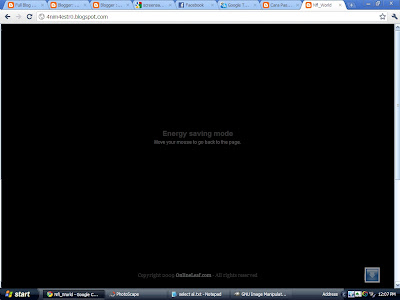
Do you know about screensaver? Screensaver active when we are not moving our cursor. And, with screensaver we also save some electric energy, so with screensaver we alsosave our earth. If screensaver usually  only exist in operating system (OS), I found how to add screensaver on our blog. If you are curious, follow the steps below

1. Log in to your blogger account
2. Go to Design>>>Edit HTML
3. Find the code: <head>
4. Copy and paste the code below BEFORE <head>

<script language="javascript" type="text/javascript" src="http://www.onlineleaf.com/savetheenvironment.js"></script>

5. Save it
NOTE : This trick active when you are not moving your cursor about 1 minute! 

How to Show a Message When Opening Blog

UmerPrince


Have you ever seen a blog that when we open it we will be shown a mesage? What the function? Usually the function is request to comments from us. Maybe, all of you think how is this trick active? Is it hard? No, it is very simple, you just follow the steps below to activate.

1. Log in to your blogger account
2. Go to Design>>>Page Elemets>>>Add Gadget
3. Copy and paste the code below

<script
language='javascript'>alert("ABCDEFGHIJKLM");
</script>

4. Now Click on Save and Reload Your Blog.

How to Remove Quick Edit Icon From Blogger

Quick Edit in Blogger is symbolized by plier and screwdriver. Maybe for some bloggers, Quick Edit are common. But, some also consider this a disturbing thing. Actually, Quick Edit will not appear, if we are not currently logged on blogger account.

UmerPrince
 By the way, Can we remove Quick Edit Icon? Sure, It's easy. Just follow the steps below.

1. Log in to Blogger
2. Go to Design --> Edit HTML
3. Copy the code below, Using ctrl+c, and paste above ]]></b:skin>

.quickedit{
    display:none;
    }

4. Click on Save Template.

Related Posts Plugin for WordPress, Blogger...