Showing posts with label Gadgets. Show all posts

Tuesday, 12 March 2013

Cool Futuristic/Concept Gadgets That Really Inspire

About 10 years ago, we didn’t really expect the 1.4mb 3.5 inch floppy to evolve into flash drives 10x smaller with storage capacity as big as 32gb. The interesting thing about technology is; it’s just going to get more and more high-end but the size, is just going to get smaller and slimmer.
These concept gadgets you see before you today, have extremely high chance of getting into production anywhere in the future. For example, Microsoft’s Surface Computing Technology certainly tells us they are for real. Here’s some really cool concept gadgets, just concepts for now but we really hope it’ll be implemented, that inspires.


-->

If we happened to missed something impressive, please let us know in comment. Full list after jump.

B-membrane Laptop/Desktop

Concept computer designed by Korean designer Won-Seok Lee. No bulky monitors, just a UFO shape system that displays screen like a projector. [via yankodesign]

Nokia Aeon Full Screen Concept Phone

The most prominent design feature of aeon is a touchscreen that stretches over the full surface area of the phone. [via engadget mobile]

Napkin PC

The Napkin PC is a multi-user, multi-interface, modular computer designed for creative professionals to collaborate and bring their greatest ideas to life. [via yankodesign]

Cellphone Code

This phone uses haptic technology to provide physical feedback for making a call. To turn it on…twist a section, to dial a number…twist a bunch of sections, to make an international call…break your wrist! [via yankodesign]

Virtual Goggles

Designed and conceived by Franz Steiner, he wondered what the personal assistant might look like in the future. [Blutsbrueder Design via Gizmodo]

New dSLR?

Concept of a digital camera which can be used in one hand. [perezprada via yankodesign]

Future Internet Search

All you need to do is point the tablet at any object and you should get search results as good as Google’s, just more interactivity. [petitinvention via behance.net]

Sunshine Pillow

We arent sure if it’s warm enough, but it’s good to own one. [Rei Gallery via gizmodo]

Capsule Radio Clock

Not rocket science, but definetely cool to get one. [sequoia-studio via tuvie]

Info-Live Watch

INFO Live is an data organizer for connected internet world. It is able to transfer data information to any hardware and person any moment in time of need. [via nextgendesigncomp]

Jive for the elderly

Jive is a range of 3 products that were designed to get elderly technophobes connected to their friends and family. [jive via tuvie]

LifeMap

Touch screen digital photo storing and organization product. [via tuvie]

Microsoft Arc Mouse

When you go advanced in all your computer equipments, the next best thing is to get a futuristic mouse. [via geekandhype]

Pebble Key Port

Designed with many slots so that user can easily group their keys into categories such as car keys, home keys or office keys. [via tuvie]

Pixel Perfect Hour Glass

Title says it all. A perfect gadget anyone wants to own, I suppose? [Pavel Balykin via yankodesign]

Calliper Style Radio

Like a precision calliper tool, 08 Radio by Mikael Silvanto lets you precisely find the station you want by sliding the entire radio unit up and down the scale. [via yankodesign]

via hong kiat


Friday, 8 March 2013

The Samsung Galaxy S IV Unveiled on March 14

One of the most anticipated devices of the year was notably absent at the Mobile World Congress in Barcelona. While many people who would have loved to get a glimpse of the Samsung Galaxy S IV at this year’s Mobile World Congress may have been disappointed, it has now been announced that the wait to see Samsung’s most important mobile device is almost over.

The Samsung Galaxy S IV

The Samsung Galaxy S IV will be unveiled on March 14 at New York City’s Radio City Music Hall.
This is the first U.S. launch of Samsung’s flagship phone in three years. The Galaxy S III was released last year in London. The move appears to be Samsung’s way of asserting their relevance in their battle with Apple for the mobile market.  While Apple may have the advantage over Samsung Electronics in the U.S. handset market, Samsung is a global giant, with a wide advantage over their rival in global markets. For their part, Samsung Electronics’ mobile division chief JK Shin, stated that Samsung changed the venue for the release to New York due to heavy requests from U.S. mobile carriers.

The Samsung Galaxy S IV Unveiled on March 14
A Samsung Galaxy S IV Concept Design by Rahul Sharma

The device specifications will not be released until the grand unveiling at Radio City Music Hall.  However, there are many rumors about regarding the features of the Galaxy S IV.  The device is thought to have a 4.99’’ full HD screen and a 13-megapixel camera.  For those unfamiliar with the previous version of the Galaxy, those specs include both a higher resolution display and camera than the former version.  The Galaxy S IV is also expected to have a faster quad-core processor.  Rumor has it that it will have an Exynos 5 8-core processor. The device is also expected to run on Android 4.2.2 and have 2GB of RAM. Of course, the official specifications could be different, and we will have to wait to get the full details when the phone is unveiled on March 14.
 Credits TechBeat.Com

Wednesday, 27 February 2013

BlackBerry Z10 Outselling iPhone & Samsung in Canada

The brand new BlackBerry Z10 smartphone is a huge hit, at least that is the case for one Canadian retailer. According to Glentel the new flagship smartphone from BlackBerry is outselling the Apple iPhone and Samsung Galaxy line of smartphones. The retailer claims that interest in the Z10 took off the moment the device was launched.
Glentel sent a note to BlackBerry on Monday in which it claimed the Z10 was its “leading smartphone” at more than 330 retail outlets across Canada.
While Glentel did not release exact numbers the company writes that the Z10 launch was ”more than 50 percent better than any other launch day in our history in Canada.”

BlackBerry Z10 Outselling iPhone & Samsung in Canada

Glentel Executive Vice President and Chief Operating Officer David Hartman adds:

“We are delighted with strong customer acceptance and customer experience within our stores of the new BlackBerry Z10 smartphone.”
The company’s report is in direct contradiction to various other analyst findings which have claimed lousy sales for the Z10 smartphone. In one report sales expectations were cut by more than 85 percent.
Sales in Canada could be attributed to a sense of loyalty felt among BlackBerry buyers. Formerly known as Research in Motion, the company is based in Canada and manufacturers its smartphones at Canadian owned facilities.
In the meantime BlackBerry can use any good news it can get. Upon launch of the BlackBerry 10 OS analysts have largely agreed that the Z10 and its Q10 counterpart with a full QWERTY keyboard may be BlackBerry’s last chance at remaining relevant in an Apple iOS and Google Android dominated market.
BlackBerry has been busy cutting staff and closing down facilities in a desperate attempt to once again become cash flow positive. Rumors have circulated that BlackBerry could sell its manufacturing division and focus on software licensing to third party vendors.
Do you think the BlackBerry Z10 can save BlackBerry or is the company headed for dire straights?

[Image via us.blackberry and Tech Beat]

Thursday, 6 December 2012

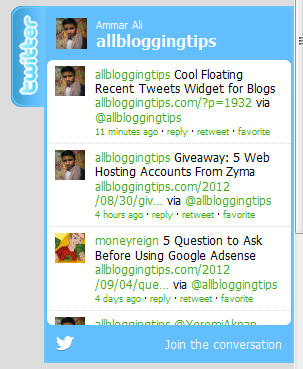
Cool Floating Recent Tweets Widget for Blogs

I recently Posted a cool twitter follower widget for blogger blog. Previous one is a simple widget for sidebar.Today I’ve Floating Recent Tweets Widget For Blogger and WordPress Blog. When you move cursor on it. It pop out with Cool Floating Recent Tweets Widget. This is a great widget for you to increase twitter followers and force visitors to follow you.

Below I’ll show you how to add this Cool Floating Recent Tweets Widget In Blogger and WordPress.

Adding Cool Floating Floating Recent Tweets Widget.

Adding Recent Tweets Widget To Blogger

1. Go to Dashboard > Design > Page Elements.
2. Click Add A Gadget. In window, select HTML/Javascript .
3. Copy the code below and paste it inside the box.
4. Click Save button.

Adding Recent Tweets Widget To WordPress

1. Go to Dashboard > Appearance > Widgets > Available Widgets.
2. Drag Text widget into a sidebar.
3. Paste in the code.
4. Save.

<style>img,a{border:0;}#on{visibility:visible;}#off{visibility:hidden;}#facebook_div{width:196px;height:353px;overflow:hidden;}#twitter_div{width:246px;height:353px;overflow:hidden;}#google_plus_div{width:152px;height:97px;overflow:hidden;margin-left:50px;margin-top:10px;}#knfeedburner_div{width:300px;height:97px;margin-top:25px;overflow:hidden;}#kakinetwork_div{width:300px;height:97px;overflow:hidden;}

#twitter_right{z-index:10004;border:2px solid #6CC5FF;background-color:#6CC5FF;width:246px;height:353px;position:fixed;right:-250px;}#twitter_right_img{position:absolute;top:-2px;left:-35px;border:0;}

#kakinetwork_right{z-index:10003;border:2px solid #303030;background-color:#fff;width:300px;height:97px;position:fixed;}#kakinetwork_right img{position:absolute;top:-2px;left:-101px;}/* left side style */#facebook_left{z-index:10005;border:2px solid #3c95d9;background-color:#fff;width:196px;height:353px;position:fixed;left:-200px;}#facebook_left img{position:absolute;top:-2px;right:-35px;}#facebook_left iframe{border:0px solid #3c95d9;overflow:hidden;position:static;height:360px;right:-2px;top:-3px;}#twitter_left{z-index:10004;border:2px solid #6CC5FF;background-color:#6CC5FF;width:246px;height:353px;position:fixed;left:-250px;}#twitter_left_img{position:absolute;top:-2px;right:-35px;border:0;}

#kakinetwork_left{z-index:10003;border:2px solid #303030;background-

color:#fff;width:300px;height:97px;position:fixed;}#kakinetwork_left img{position:absolute;top:-2px;right:-101px;}

</style><script src='http://ajax.googleapis.com/ajax/libs/jquery/1.7.1/jquery.min.js'></script><script type="text/javascript" src="http://apis.google.com/js/plusone.js"></script><script type="text/javascript">jQuery(document).ready(function(){ jQuery("#facebook_right").hover(function(){ jQuery(this).stop(true,false).animate({right: 0}, 500); },function(){ jQuery("#facebook_right").stop(true,false).animate({right: -200}, 500); }); jQuery("#twitter_right").hover(function(){ jQuery(this).stop(true,false).animate({right: 0}, 500); },function(){ jQuery("#twitter_right").stop(true,false).animate({right: -250}, 500); }); jQuery("#google_plus_right").hover(function(){ jQuery(this).stop(true,false).animate({right: 0}, 500); },function(){ jQuery("#google_plus_right").stop(true,false).animate({right: -154}, 500); }); jQuery("#feedburner_right").hover(function(){ jQuery(this).stop(true,false).animate({right: 0}, 500); },function(){ jQuery("#feedburner_right").stop(true,false).animate({right: -303}, 500); }); });</script>

<div id="on"><div id="twitter_right" style="top: 20%;"><div id="twitter_div"><img id="twitter_right_img" src="https://blogger.googleusercontent.com/img/b/R29vZ2xl/AVvXsEgxj5VtmcRfnZHMvYJY7-w9CqqaSBBKoUDcVtfCzcKSQLM_M9CAp0VMR4KRGHRFwv1-NnnPmAVxXfpXfRe0PdfNQ5hWqPbe4owf5QJFH_HeDhjA2lRnZ3ZEYk8dWDrx6NdINFgIEkvXCk4/s320/allbloggingtips.com-twitter-icon.png" /><script src="http://widgets.twimg.com/j/2/widget.js"></script><script>new TWTR.Widget({version: 2,type: 'profile',rpp: 4,interval: 1000,width: 246,height: 260,theme: {shell: {background: '#63BEFD',color: '#FFFFFF'},tweets: {background: '#FFFFFF',color: '#000000',links: '#47a61e'}},features: { loop: false,live: true,scrollbar: false,hashtags: false,timestamp: true,avatars: true,behavior: 'all' }}).render().setUser('MUMERPRINCE').start();</script></div></div></div>

</div>

Just replace MUMERPRINCE with your twitter username. That’s it!


Visit your Blogs to see it floating at the right side of your webpage. I hope this Floating Recent Tweets Widget will help you in increasing the number of your Twitter Followers. That’s all. If you face any problem in Floating Floating Recent Tweets Widget then don’t stop just drop your comments and Feel free to ask.

Monday, 3 December 2012

Removing the attribution gadget from mobile template blogs

This article is about removing the "Powered by Blogger" statement from the bottom of blogs that have a mobile template.

 
Blogger and attribution gadgets.

 
Previously I've described the attribution gadget that Blogger has added to blogs with designer templates, and various ways of removing it.
This was a real game of cat-and-mouse: I found a way to delete the gadget, Blogger's engineers put in code to add it back in again if you removed it using that method. But eventually I found some methods that haven't stopped working - or maybe Google saw the logic in my arguments and gave up trying.
(For the record, I show the gadget on most of my blogs, but really didn't want it on one particular blog that is really powered by Google custom Maps: Blogger is just a nice wrapper around the custom maps that it shows.)
Now a reader has asked about getting rid of the attribution from a blog that uses a mobile template. This is easy provided you accept the risks of editing your template.
How to remove the attribution from a mobile template:

Edit your template in the usual way - you don't need to expand the widget templates.


Use the browser search tool to find this statement:
< b:widget id='Attribution1' locked='true' mobile='no' title='' type='Attribution'/> The number after the word "attribution" may be different, if you've tried several other ways to remove the "powered by Blogger" statement. This doesn't matter - just make sure the same number is used in the original statement and the replacement one.


Replace it with this statement
< b:widget id='Attribution1' locked='true' mobile='no' title='' type='Attribution'/>
Save your template .


And that should be "job done".


It is a good idea to check what your blog looks like on a mobile device. If you find that this approach doesn't work for your blog, please leave a comment including your blog's URL - in case there are some conditions that I've missed.

Note: test so far make me thing that this setting is kept even if you change which mobile template your blog uses, and even if you switch off the mobile template and then switch it off again later.

Saturday, 1 December 2012

Related Posts with Thumbnails for Blogger - New Version by BloggerWidgets

Aneesh of Blogger Widgets has developed a new "Related Posts" script for Blogger which displays thumbnails of images in addition to linked post titles:


In appearance, this Blogger "add-on" is similar to the LinkWithin script. Each section is highlighted in a complementary colour when the mouse hovers over it, and the entire section is clickable, leading to the URL of the "related post" displayed.


Unlike the LinkWithin script, this add-on links directly to the post page it references, and relies on Blogger's label feeds to display posts of true relevance to the post on which it appears.

Aneesh's script seems relatively easy to install. Furthermore, almost all aspects of this add-on may be customized including the style (by editing the CSS), the number of related posts to be displayed and the title of the section in which it is contained.

The image thumbnails displayed for each related post are generated from the thumbnail associated with the relevant post page. Therefore, only images which you have uploaded to each blog post (rather than referencing by URL) will be displayed. In instances where no image appears in the related post, a generic "No-Image" replacement will be be displayed instead.

Overall, I am very impressed by Aneesh's related posts script - it is neat, easily customizable and as the JavaScript is hosted by Google Code this loads very quickly..

Be sure to visit this page on the Blogger Widgets site for full instructions of installation and customization methods to add this useful script to your own Blogger blogs.

How to add "Tweet This" links to your Blogger Template (with short URLs)

Twitter has become one of the most popular ever syndication and networking tools for bloggers. A few readers have asked if it is possible to add a "Tweet This" link to our Blogger templates, and while this was possible, I had not discovered a method of automatically shortening the URL of our blog posts until now.

Luckily for us, Bit.ly have created a JavaScript-based solution which shortens the URL to just a few characters and enables bloggers to add a Tweet This link configured for their posts. In this tutorial, I'll explain how you can add this to your Blogger template so your readers can Tweet your posts to their Twitter followers, enabling your Blogger posts to be syndicated to a wider audience.


Editing your template to add the Twitter links

First of all, you should make a full back-up of your existing template (which you can later restore if you make a mistake in the coding). To do this, go to Layout>Edit HTML in your Blogger dashboard and click on the "Download full template" link near the top of the page. Save your template to a location on your computer which you can easily access later.

Next, go back to the Layout>Edit HTML page and ensure you have checked the "Expand widget templates" box. The place where we need to add the Twitter code is contained within the Blog Posts widget.

Search for this section in your Blogger template code (or similar):

<div class='post-footer-line post-footer-line-1'>


If you cannot find this exact line of code, search for 'post-footer' instead. Alternatively, you can add your code immediately after the <p><data:post.body/></p> line.

Just after the 'post-footer' line you have located, paste the following section of code:

<b:if cond='data:blog.pageType == "item"'><span style='float: left; background: url(https://blogger.googleusercontent.com/img/b/R29vZ2xl/AVvXsEga_iOrz1Mr8mm-XgTXVmXBK75rjPloSPZJZxtdq4bI1DLPpZolsXpZNHBObWkN-r5CKbmMEPvnRkAfJXlwZ_fzNXF8dSuiUqM4Gq6BTzzLaljVtltDG4hqv7REsYpEI50DScXIFsb1WP2x/s128/twitter-16x16.png) left no-repeat; padding-left: 20px;'><script charset='utf-8' src='http://bit.ly/javascript-api.js?version=latest&amp;login=tweettrackjs&amp;apiKey=R_7e9987b2fd13d7e4e881f9cbb168f523' type='text/javascript'/>
<script charset='utf-8' src='http://s.bit.ly/TweetAndTrack.js?v=1.01' type='text/javascript'/>
<a expr:onclick='"return TweetAndTrack.open(this, \"" + data:post.url + "\");"' href='#'>
<span style='display:none;'>I'm reading: <data:post.title/></span>Tweet this!</a></span></b:if>


Preview the changes to your blog template to make sure you have not made any errors in adding the code. If all is well, the preview page should load (though you will ne unable to see the Twitter link on the preview page).

Finally you can save your template. Now when you view an item page on your blog, you will see a link in the post-footer section which looks like this:

I'm reading: Blogger Umer Prince this!


This link automatically generates a Bit.ly shortened URL for your post. When a reader clicks on this link, they are taken to Twitter.com (where they can log in if required) with a pre-filled Tweet which appears like this:

http://bit.ly/url I'm reading: [title-of-blog-post]

If you would prefer the prefilled Tweet to say something other than "I'm reading", you can edit this phrase in the code you add to your Blogger template. Readers can edit this pre-filled Tweet before updating if required.

I hope you will enjoy using this Twitter syndication link in your own Blogger templates. Please try this out for yourself to see how it works and feel free to leave your comments below.

Friday, 30 November 2012

New enhancements to Google Affiliate Ads for Blogger

Back in April, we introduced Google Affiliate Ads for Blogger, a gadget that can help you earn money by adding an ad for a relevant product to a blog post and earning a commission when someone clicks on your ad and makes a purchase. We’ve received positive feedback from Blogger users and the advertisers who have made their products available through the gadget, and wanted to let you know about a couple of recent enhancements we’ve made to this gadget:

Increased availability: When this gadget first launched, you may not have been able to see the gadget even though you have an AdSense account. We’ve changed this so that all Blogger users located in the U.S. with an AdSense account have the ability to see that gadget in their post editor and can sign up to use Google Affiliate Ads for Blogger. If you tried to find the "Advertise Products" gadget and didn’t see it before, try again!
More advertisers and products: The types of advertisers and products available when the gadget became available were in categories such as Department Stores, Sport and Fitness, Office Supplies, Home & Garden, and Apparel & Accessories. We’ve now added 40 more advertisers and expanded our offering to include products in the Health & Beauty, Jewelry, Flowers Edibles & Gifts, Education, and other categories.


Google Affiliate Ads for Blogger is easy to use, and is a great solution for those users interested in choosing the products and brands they want to promote in their blog posts.

Here are two examples of a Blogger user finding a relevant affiliate ad:


Get started today.

Grow your audience with the Google+ followers gadget

Connecting your blog to Google+ is a great way to attract new readers, as well as build lasting relationships with your followers. For example, you can easily share your posts in the Google+ stream, as well as enable blog visitors to recommend your stuff in a single click. Today we're excited to offer another Google+ perk: the followers gadget.

The Google+ followers gadget highlights your total Google+ audience (both its size and some friendly faces), and offers visitors the chance to follow you on Google+. As a result, you can grow your readership across the web, and reach them either in the Google+ stream, or through your blog.


To get started, just connect your blog to Google+, visit the "Layout" tab of the Blogger dashboard, and select "Add a Gadget." You can also read a bit more about today's update in our Help Center.

Happy blogging!

p.s. Those of you with the Google Friend Connect followers gadget can keep using it, if you like. We retired most of Friend Connect earlier this year, but we'll keep it running on Blogger for the foreseeable future.

Sunday, 18 November 2012

Best Gadgets Of 2012

As the holiday shopping season nears the tech lovers in your life are probably salivating over all of the amazing electronic toys that have went on sale this year. If you’re hopelessly lost when it comes to finding the best gadgets of 2012 for your loved ones we have compiled a list that examines four
very cool pieces of gadget technology that geeks have been salivating over for the last 10 months.

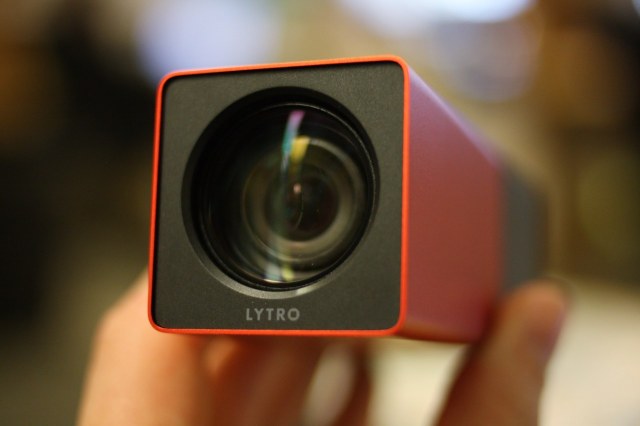
Lytro Light-Field Camera


With most cameras you focus the shot, take the picture and deal with the results for the rest of your life. Lytro isn’t your typical camera. Using a process known as "light-field" the camera captures the total visual depth of a scene.
After taking a photo the user than then click on different parts of the digital picture to focus on that section of the image.
You can try the Lytro focus setup HERE.

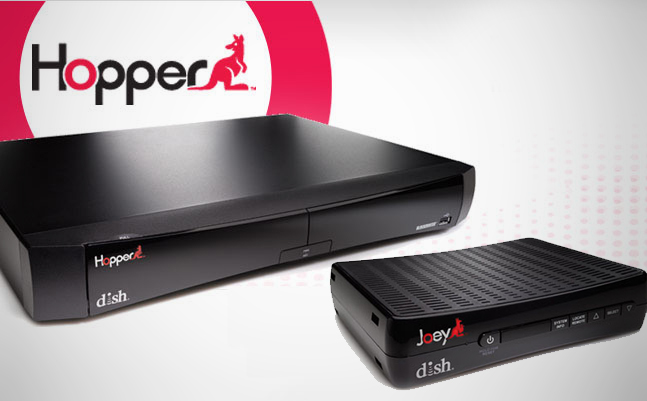
DISH Network ‘Hopper’ Service With PrimeTime Anytime


When DVR systems arrived the first thought on many people’s minds was "I wish I could just push a button and skip the commercials." Fast forward to 2012 and Dish Network made that commercial skipping option a reality.
Known as ‘Hopper‘ the service allows users to skip commercials for shows they recorded earlier in the day.
What might be most revolutionary however is the networks ability to offering a service called "PrimeTime Anytime," which records every single prime time show on all four major networks automatically in high-definition. All of those shows remain on the users system for eight day, ensuring you never miss a show you forgot to record.
This offering is both a service (Hopper) and a gadget (DVR Hopper system).


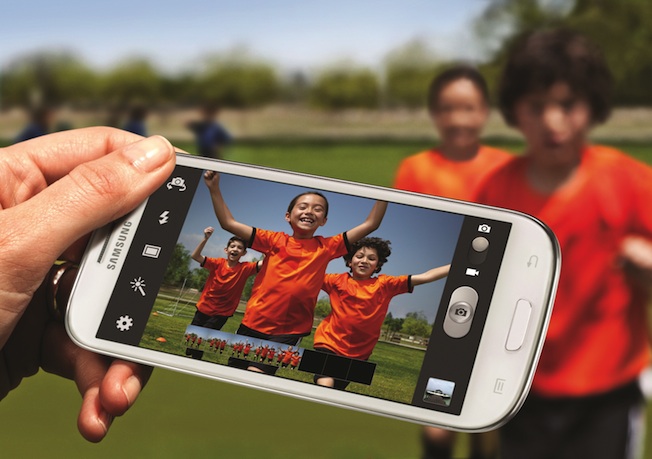
Samsung Galaxy S III


The Samsung Galaxy S III is everything the iPhone 5 wants to be. Aside from featuring Google Maps (something Apple wishes it still had at the moment) the device is one of the most powerful and user friendly Google Android based smartphones on the market. Major features on the Galaxy S III includes:
4G LTE* for high-speed downloads
Android 4.0 (Ice Cream Sandwich) OS
4.8″ HD Super AMOLED 720p display
S Voice enables voice-activated functionality
National retail exclusive** marble white for Sprint
The Galaxy S III also features NFC capabilities which allows users to make payments with their phones, transfer funds between devices and even wirelessly sync playlists and other information.
The Galaxy S III also features a very nice 8MP camera with reaf-facing flash and 1080p video recording capabilities. The smartphone also offers a front facing camera with 1.9MP output.

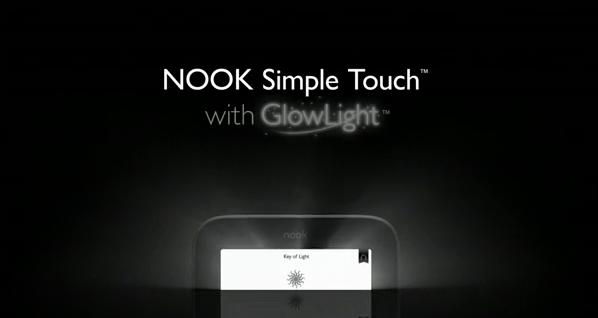
Barnes & Noble Nook Simple Touch With GlowLight


E-readers with e-ink technology are found everywhere these days, the GlowLight technology found on the Barnes & Noble Nook with GlowLight however is different.
While e-readers were formerly only available for daytime/lit reading the new Barnes & Noble Nook Simple Touch with GlowLight offers an easy on the eyes display light for nighttime reading.
What might be most impressive is that even with the GlowLight the device could last hundreds of hours without a single charge.
From Smartphones and cameras to DVRs and eReaders 2012 has proven to be a good year for gadgets in general. Choose one of the pieces of technology listed above and your significant other will be sure to thank you.

Wednesday, 14 November 2012

Top Windows 7 Gadgets

Though the Windows Sidebar featured in Windows Vista was a bust, Windows 7 came back with innovative desktop gadgets that actually performed. Windows 7 stopped trying to knock off Mac’s dashboard appearance and instead created its own proper platform. Unlike the unpopular sidebar, Windows 7 gadgets have a purpose to the user. Sadly, most users overlook the features or use different platforms such as Google Desktop for the same gadgets. Rather than overlook this key feature in Windows 7, embrace it with these top Windows 7 gadgets.


CPU Meter

Though Vista’s version of the CPU meter failed, the Windows 7 version is perfect. It monitors up to eight different cores and monitors free versus used space, RAM available, etc.

Orb Clock

This clock features the Windows logo and an electric blue clock in analog format. Though the desktop clock works fine, this adds a little personality to a user’s desktop.

Facebook Explorer

Users constantly on Facebook can use the Facebook Explorer. It updates as often as the user sets it up to and keep users up-to-date on everything that occurs via Facebook.

App Launcher

The quick launch toolbar was removed with Windows 7, but users can still get a quick launch feature by using the App Launcher gadget. This holds all of the user’s favorite applications in a neat box where they can click and go.

Open/Close DVD Drive

Though it is relatively simple to bend down and push the button, the click of a mouse is a lot easier. The Open/Close DVD gadget sits on a user’s desktop and allows them to open their drive with one click.

Skype

Users who are frequently utilizing the program will typically find it annoying and intrusive on their desktop space. The SkypeGadget is compact and sits on the top corner of a user’s desktop so that they can still access the chat and calling features of Skype, but without the obtrusive program itself.

Traffic

The Traffic gadget is simple to use, especially for users who are about to hit the road. Users can monitor current traffic flow throughout freeways in their area and search for alternate routes before heading out all from the same gadget.

Related Posts Plugin for WordPress, Blogger...